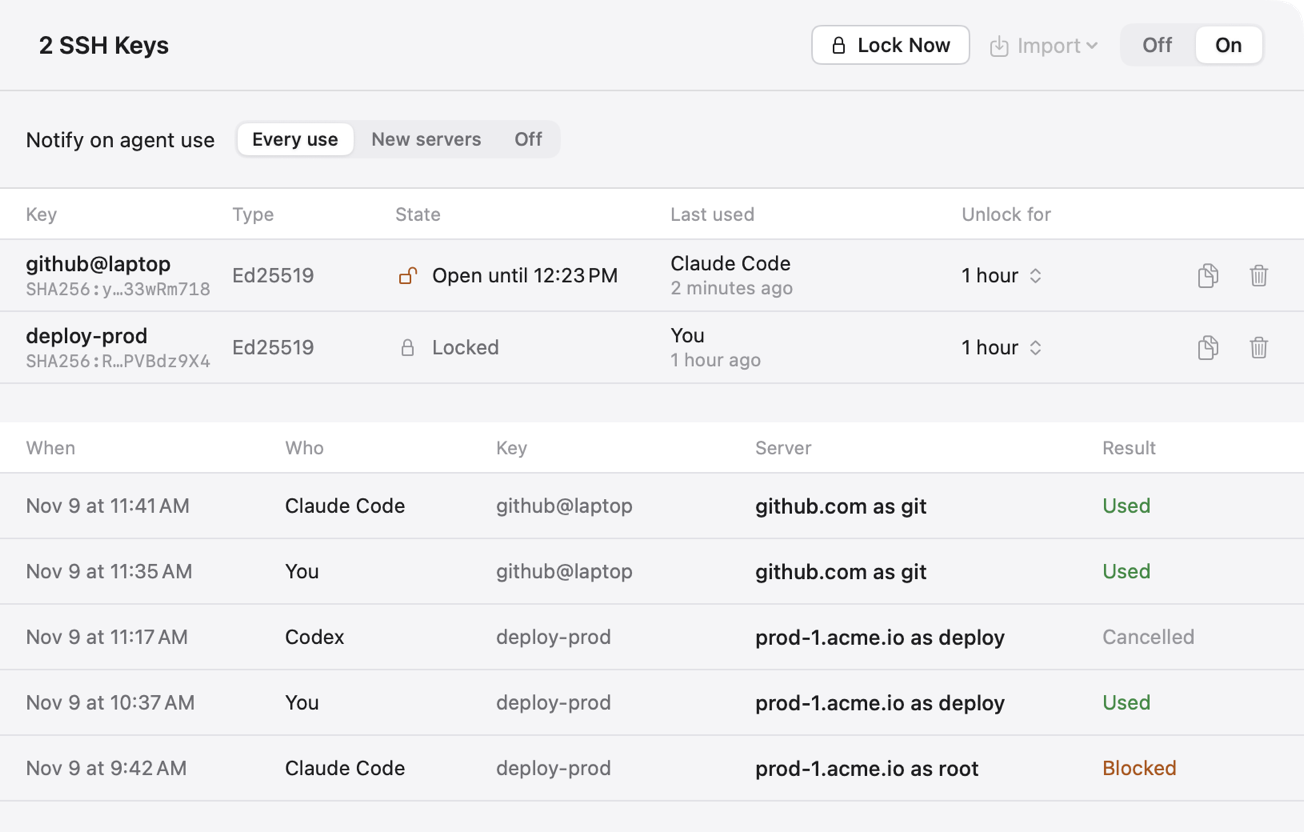
A one-hour timer for your SSH key
Does your SSH key have a passphrase? When did you last type it? If the answer is "once, a long time ago", your Mac is doing the remembering. ssh-agent holds the unlocked key and the Keychain holds the passphrase.
That's comfortable. It also means the key is always unlocked, for you and for anything else running as you. Claude Code runs as you.
Our favorite fix is one line in a config file: let ssh keep the key unlocked for an hour, then forget it.
Setting the timer
If your key has no passphrase yet, give it one:
$ ssh-keygen -p -f ~/.ssh/id_ed25519Then add this to ~/.ssh/config:
Host *
  AddKeysToAgent 1h
If the file has a UseKeychain yes line, delete it. That line lets macOS fill in the passphrase for you, and then the timer does nothing. Run ssh-add -D once to lock any key that's already open.
Your next git push asks for the passphrase. For the next hour nothing asks. Then ssh-agent drops the key, and the next login needs you again. An agent can't type your passphrase, so this is what it gets:
git@github.com: Permission denied (publickey).During the hour the key works for agents too. The timer just makes sure it's an hour you were at the keyboard for.
Isn't typing a passphrase every hour annoying?
A little. Plango 2.0.31 does the same thing with Touch ID. Each key gets its own timer, and a log shows which agent used which key.